
ElectricalEdge Studio
Built for small electrical contractors
Fast quoting. Simple project control.
Price a job from your own catalogue, send a professional proposal, then run the job you win - bills, hours, variations, claims and payments - and see the profit you really made. One file on your computer. One price. No subscription.
From spreadsheets to one connected app
Most small contractors quote in a spreadsheet, retype it into a Word proposal, then track the job somewhere else again. Every retype is a chance to lose money.
The spreadsheet way
- Scope and prices retyped from the estimate into the proposal
- Labour hours that don't add up line by line
- Prices with no date, quietly going out of date
- A dollar profit, but no margin you can trust
- The estimate retyped again to start the job
- The real profit known only when the job is long over
The ElectricalEdge way
- The proposal is made from the estimate - nothing retyped
- Hours per unit with the line total always shown: 0.35 h/u = 14.7 h
- Every price carries its date; old ones are flagged before you send
- Margin on every line, every section and the whole quote
- A won quote becomes the job's budget, nothing retyped
- Spent, forecast and margin on every job as you go
From the estimate to the profit, nothing retyped
Every step feeds the next. The estimate becomes the proposal, the won proposal becomes the job's budget, and the job's claims, bills and hours show the profit.
Estimate
Lines from your catalogue, assemblies and ready-made packages. Cable by the metre with fixings. Margin on every line.
Propose
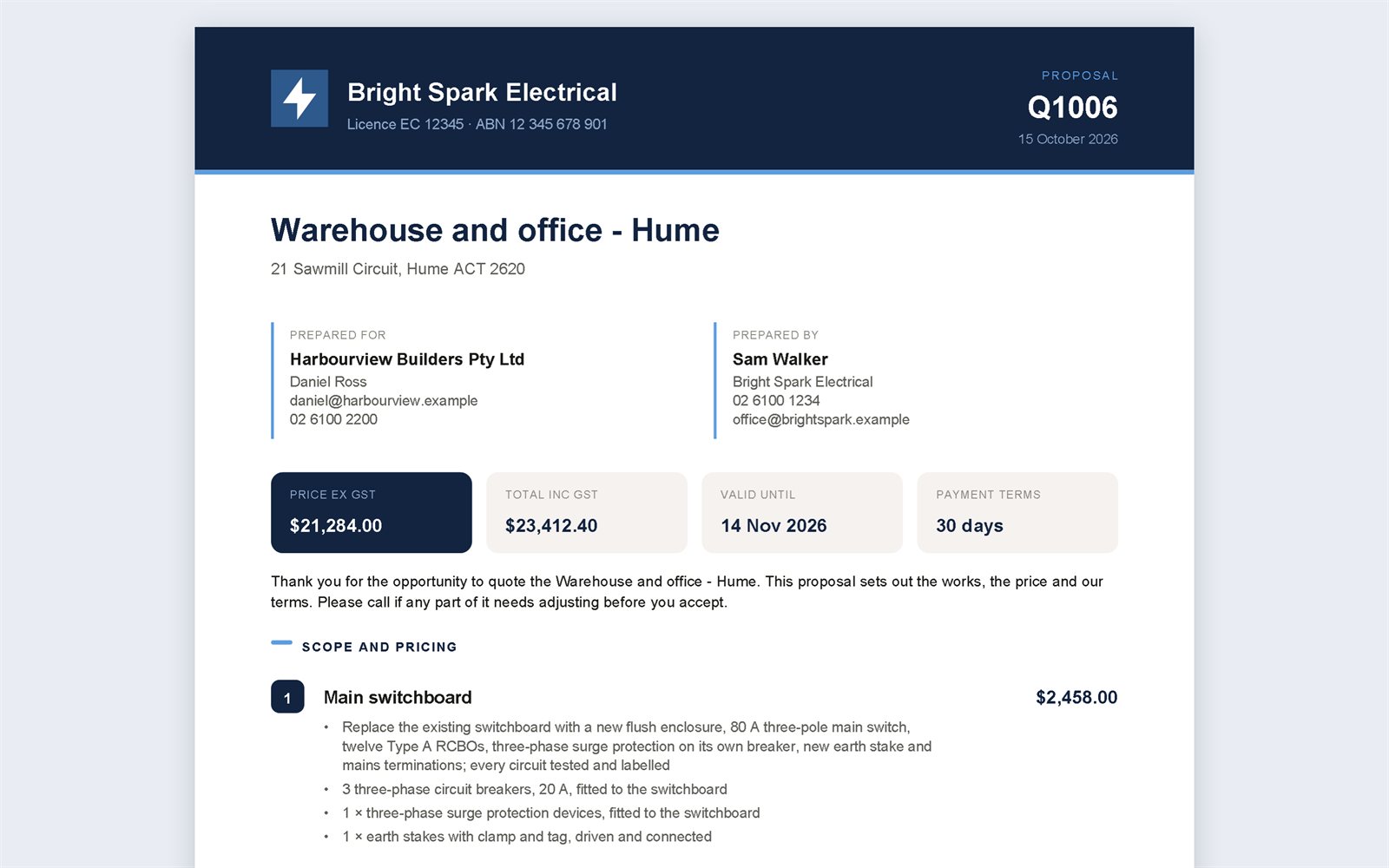
Three layouts - itemised, sectioned or one price - as a PDF and an editable Word file, with six checks before you send.
Win
Mark the quote won and it becomes the job: the budget by section, frozen as the contract.
Deliver
Bills and purchase orders, a weekly hours grid, and variations priced like a quote.
Claim
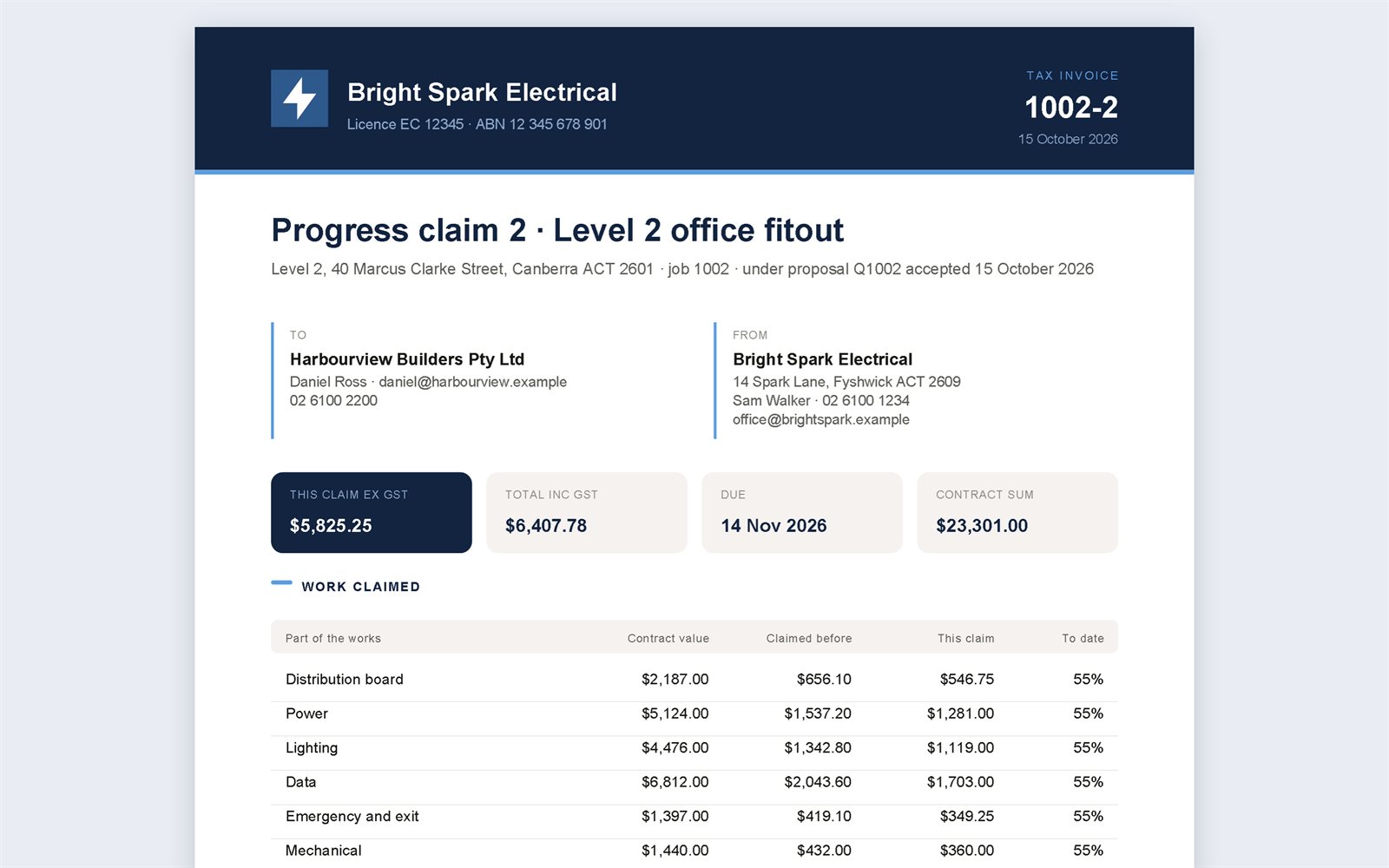
Progress claims as tax invoices (plain invoices if you are not registered for GST), payments recorded, overdue claims on the Dashboard.
Close out
The final result against the estimate, and a project report.
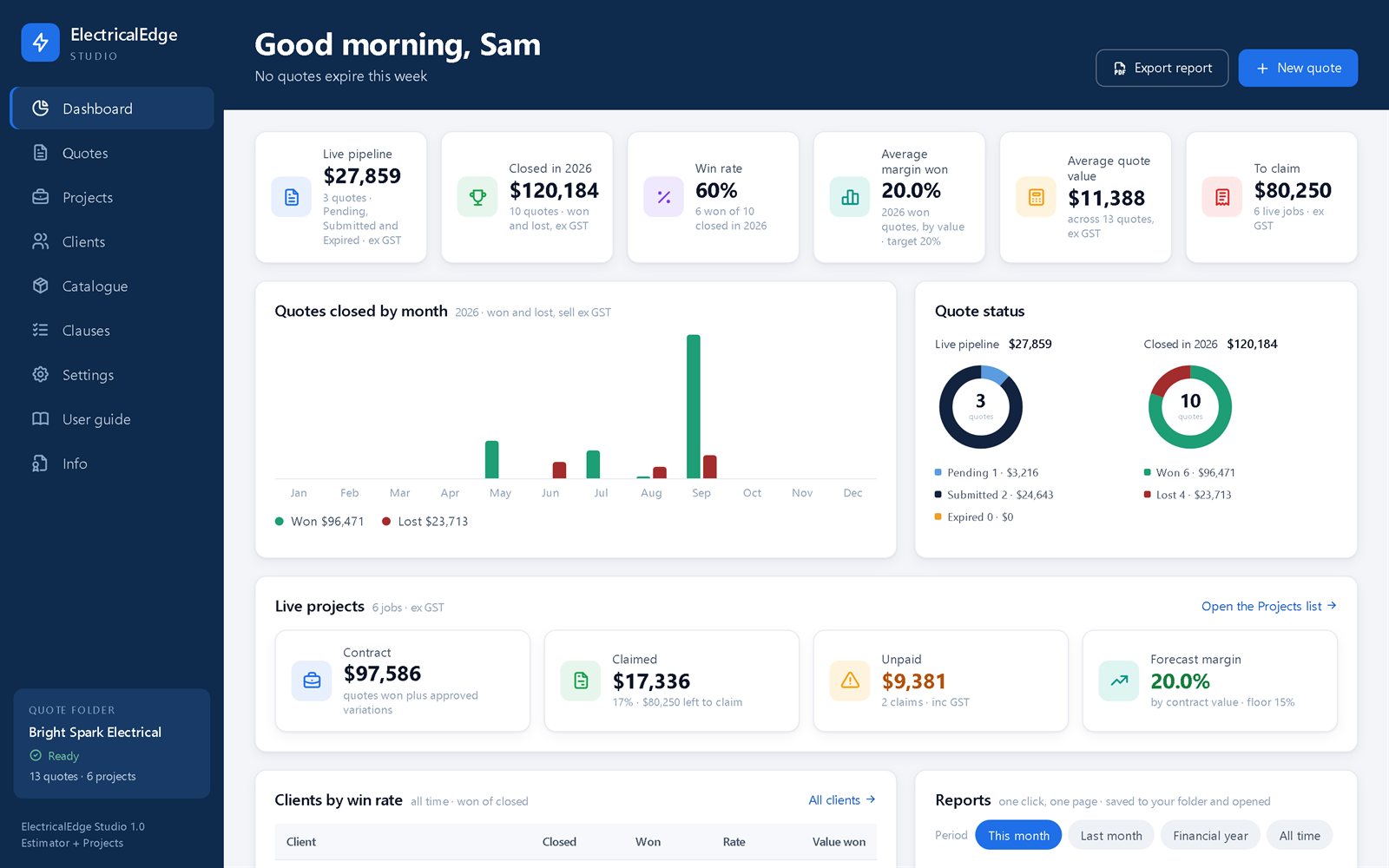
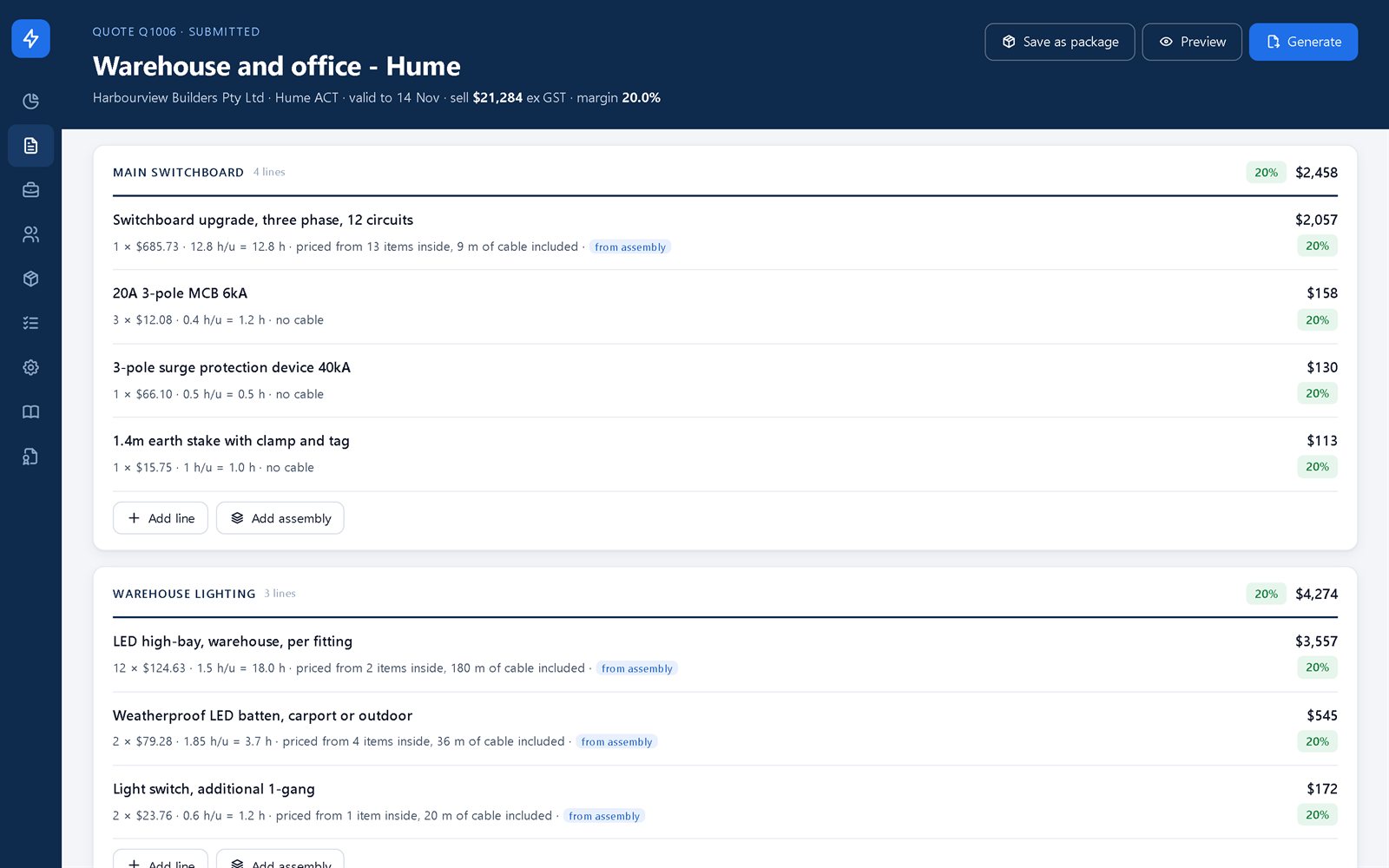
The screens you'll use every day
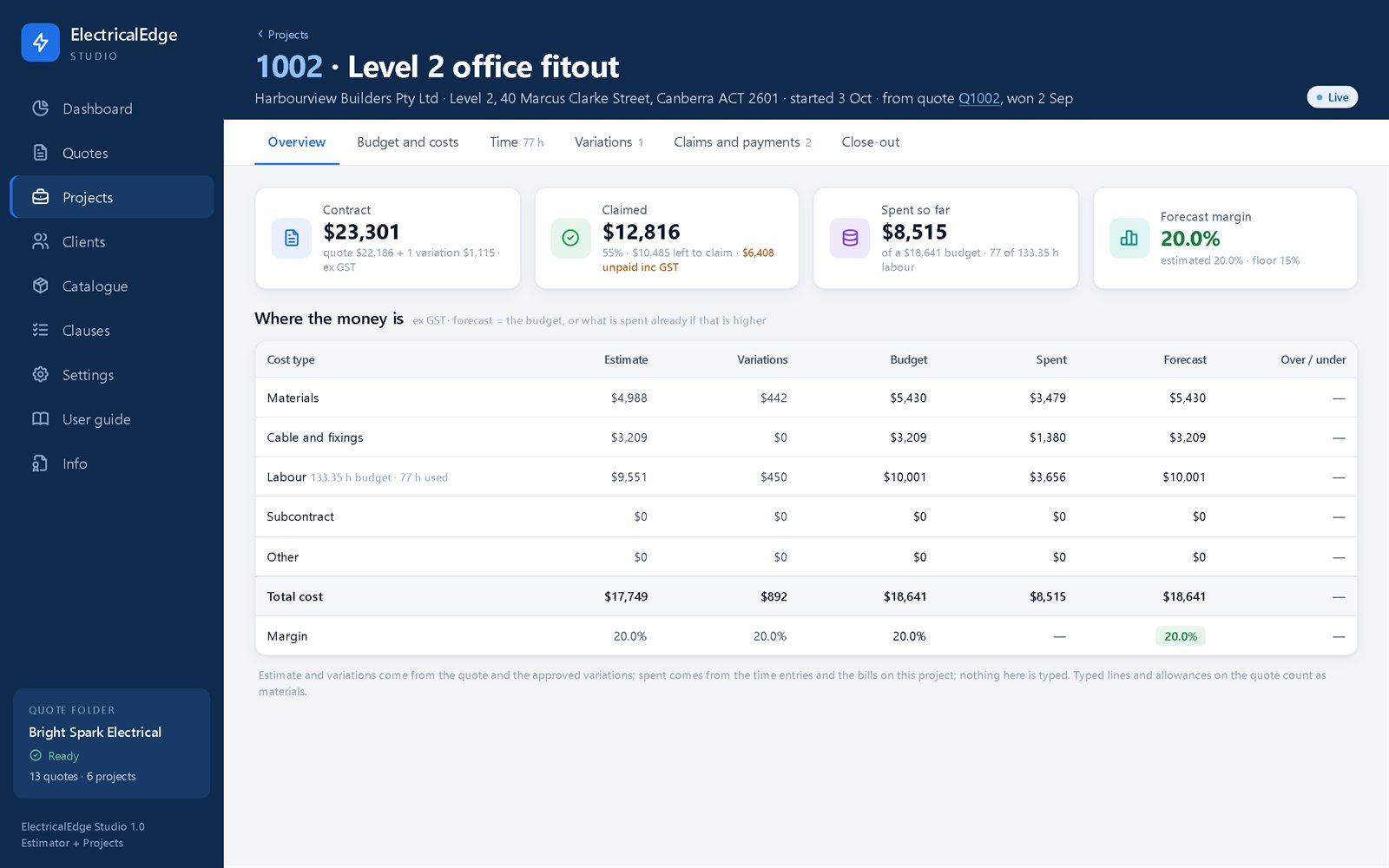
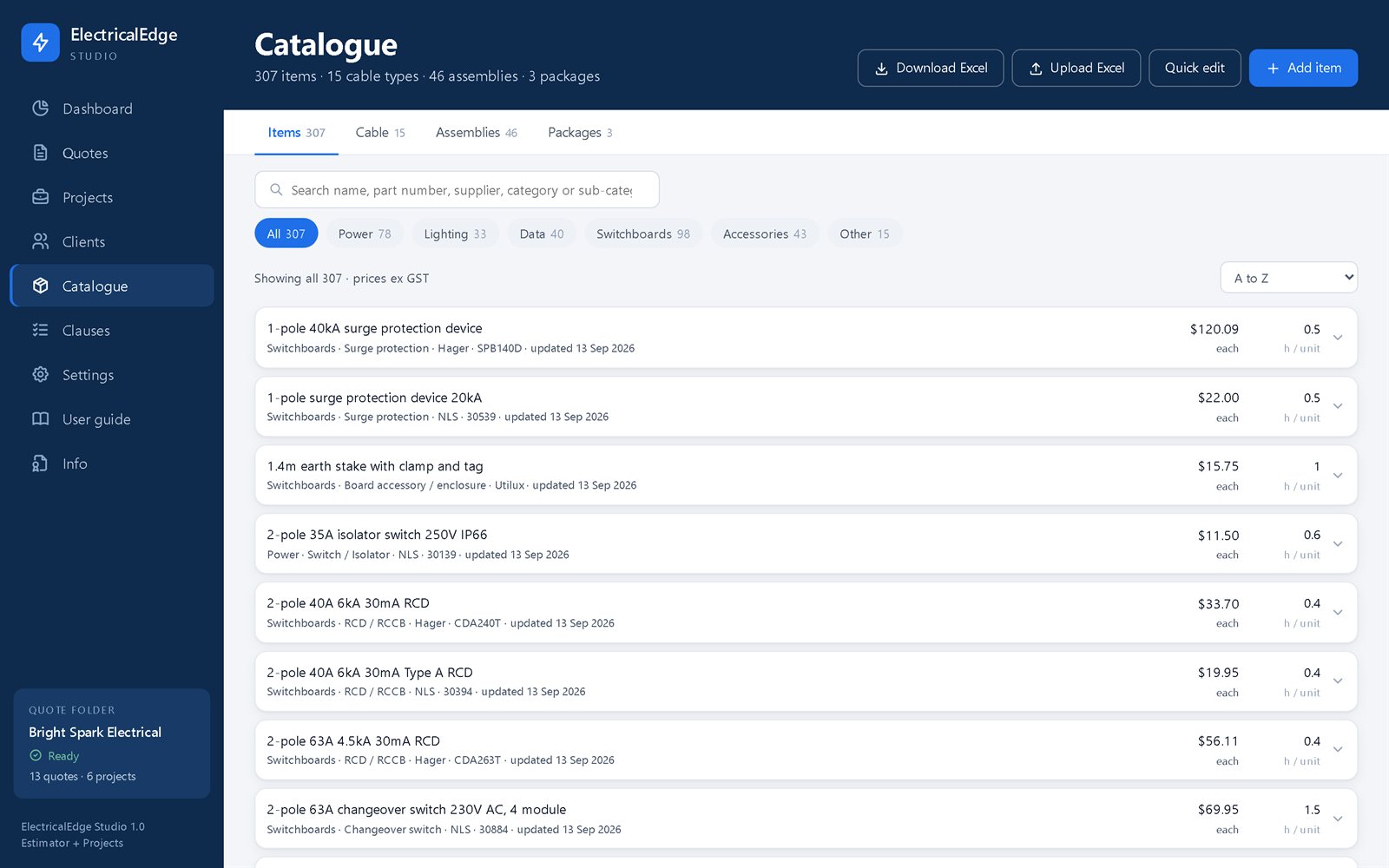
Real screens from the app, shown with a made-up sample business.
Everything a small contractor needs, nothing they don't
No scheduling, no dispatch, no payroll, no accounts to log in to. Just the quote, the job and the money.
A starter catalogue
307 items, 15 cable types, 46 assemblies and 3 ready-made packages, each with starter prices and labour hours you change to your own.
Quotes and proposals
Clients, quotes with status and validity, a clause library, and proposals as PDF and Word.
Projects
Budget by section and cost type, bills and orders, the hours grid, variations and close-out.
Claims and payments
Progress claims as tax invoices (plain invoices if you are not registered for GST) with your bank details, part payments, overdue claims.
Reports in one click
Unpaid claims, left to claim, spend by supplier, hours by person, activity, and a labour check.
Accounting export
A period's claims and bills as CSV files laid out to Xero's and MYOB's published import templates. Nothing is sent anywhere.
Your data stays with you
Ordinary files in your own folder, and the app keeps a copy of each file it changes for 30 days.
User guide inside
A 19-page guide, one chapter per screen, one click from the app.
Simple by design
A price, a labour rate or a day's hours each change in under a minute, with no instructions.
Buy it once. Use it for good.
No subscription, ever. The version you buy keeps working, fixes are free, and a major new version is half price for existing buyers.
One licence is for one computer. Moving to a new computer? Send us its new code and we send you a new licence file.
- Estimating, quotes and proposals
- Projects, variations, claims and payments
- Reports and the accounting export
- The user guide, and free fixes
Download, try it, then buy
The app is free to download. It opens once a licence is loaded - a free demo licence to try it, or a full licence once you buy.
Download the app
One file, no installation. Save it in your Documents folder.
Open it and copy your computer's code
Open the file in Edge or Chrome (double-click it; if another browser opens it, right-click the file and choose Open with) and choose a folder for your data. The app then shows this computer's code, for example DK9X-ECW8-VQTP-R5XW. Press Copy.
Send us the code
Use the form below to ask for a free demo licence, or to order a full licence. For an order we email you an invoice, and your licence file comes by email once it's paid. Load it in the app and you're quoting.
Or email your code to sales@security-edge.net or call 0435 141 835.
A computer you already have
A Windows PC with Edge or Chrome
Other browsers cannot save to your folder, so they are not supported.
A folder for your data
Inside OneDrive or Google Drive is best: your quotes and jobs are backed up at no cost.
No account, no internet needed
Nothing to sign up for. The app works offline and sends nothing anywhere.
Common questions
Is there a subscription?
No. You pay once and the version you buy works for good. Fixes are free; a major new version is half price for existing buyers.
Where is my data kept?
In a folder you choose, as ordinary files - nothing is sent to us or anyone else. The app also keeps a copy of each file it changes, for 30 days, in a _backups folder inside it.
Can more than one person use it?
It is made for one person on one computer, and a licence is for one computer. Your staff, their rates and their hours all go in - one person enters them.
What if I get a new computer?
Your folder comes with you (OneDrive or Google Drive brings it across by itself). Open the app on the new computer and send us its new code; we send you a new licence file.
Does it connect to Xero or MYOB?
It writes a period's claims and bills as CSV files laid out to Xero's and MYOB's published import templates. There is no live connection.
Can I use my own prices and labour hours?
Yes. Every price and every labour figure is yours to change - one at a time, with Quick edit down a whole column, or the whole catalogue in Excel.
Does it work on a Mac, a tablet or a phone?
It is made and tested for a Windows PC with Microsoft Edge or Google Chrome only. Phones and tablets cannot run it.
Is the Security of Payment wording right for my state?
Every claim prints a statement naming your state's Security of Payment Act. Check that wording for your state before your first claim.
Quote faster. Know your profit.
Download it free and try it on your next job.
About this software
ElectricalEdge Studio is designed to assist experienced electrical professionals with quoting, estimating, proposals and project cost management. It is a support tool only and does not replace professional review, electrical compliance checks, site assessment, Australian Standards requirements, licence obligations or company approval processes. All quotations, budgets, labour allowances, scope, variations, claims and client documents must be reviewed and approved by you before they are issued.
ElectricalEdge Studio is proprietary software conceived, designed and developed by Ofir Abotbol. It may not be copied, distributed, modified or reverse-engineered without written permission. Nothing on this page excludes rights that cannot lawfully be excluded.